Alberta has a celebration in late September called Alberta Cultural Days. Our school decided we'd use this province-wide celebration to kick off a small celebration of our own to acknowledge the diversity of some of the cultures in our school.
This event would be a great way to use the learning commons. We decided on having a small group of students (partly due to the time factor) who would be interested in being part of this group and would be willing to work on it at lunch times as well as at home too if needed.
I also thought it would be a great way to showcase the power of the mighty Aurasma, an augmented reality app available for free for mobile devices.
The Artifacts
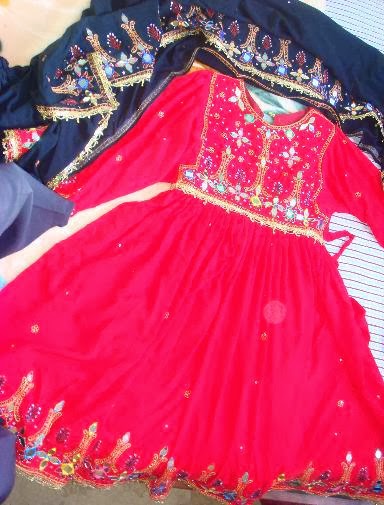
Students would take digital photos of things that are unique to their culture. They would then bring the image files to school or save it to their Google Drive.



The Videos
Using those photos as their inspiration, and by recording with green screen, or just using the photos with voice-over in iMovie, the students created scripts to describe their artifact and why it is important to their culture.


The Slow and Steady Editing Process
This was the slowest part of the entire process. If you've ever edited video before you'd know its a slow and arduous task. What I find when editing video the students become so particular about their work. They edit, edit and edit until they have something they're happy with. Through this part project I actually wondered if we were going to actually finish at all. The key to this is support. The next time I use iMovie with students I think I will spend more time on teaching this process so that students don't have to spend so long rerecording voice-over or going back and rerecording actual green screen shots. There are quite a few editing tricks that can help fill 'holes' in video clips.
The Uploading to Aurasma
This was the easy part! And by the way, this is not supposed to be a tutorial. That will come soon...
First, the picture/trigger images were uploaded to the Aurasma Studio server from the share point on our school server. Then I uploaded the video/overlay too. Both of these has similar file names so I could match them up when creating the Aura. Once both the pieces were on the Aurasma server, I then linked them together to create the finished Aura. Once created, the photo that the student took then acts as a trigger for the video that they also made. What an awesome way to showcase student work!


It all comes together in The Virtual Museum
Once all thirty Aura's were completed, we opened the museum for business. We invited half a class at a time through the museum, due to only have 15 available iPads. the museum-goers wore headphones to really focus in on listening to the videos (and some audio was quite low in volume).
It was amazing! Every student who came through our museum was engaged and focused on learning about someone else's culture.


