Pages

Friday, 21 February 2014

The New Hub - Virtual Learning Commons

This is the second time I have been lucky enough to design a virtual learning commons (VLC).

The VLC at Chris Akkerman will become the go to place for everything digital in our school. It will be the launching pad for projects, websites, web2.0 tools, tutorials and much more.


The following ideas are my thinking behind each of the sections/pages:

About Us

This page links people to see what is happening at our school and also to get in touch with us. Anyone can leave comments or email us.

Links

There are two links pages. One has Web 2.0 tools that we are using at our school and the other common websites that our students use. I separated them to help our students see the difference between regular websites and those that are web2.0 tools.  

Projects

I predict this will be the most used part of the site. Each grade will have access to their page that that can edit themselves (when given the permissions) . Each project page will link directly to work that is being done in an inquiry project in the classroom. This will help organizing digital files and allowing students to gain quick access to their work, success criteria and other digital resources. 

Tutorials

This page will have videos that and documents that have been made to help both teachers and students learn new ways of doing things using the technology in our school.  This will hopefully free up time for the teacher and student by providing extra support away from classroom and time. 

Staff

These two pages will be something that we will hopefully experiment with too. The Professional Learning page will serve as a place to list resources and documents that we create and share at PL days. The Staff Meeting page will serve as a memory of staff meetings we have by adding minutes (that could be collaboratively written in Google Drive). Due to some of the sensitive nature of information shared, these pages could be password protected too, especially the Staff Meeting page.

Tuesday, 7 January 2014

Digital Citizenship in the Learning Commons

This year in our school, we have opened up the world of collaboration and communication to our students. What an exciting time it has been. In 4 short months we have initiated 340+ student Gmail and #GAFE (Google Apps For Education) accounts from grades 3-5. It has been a huge task to get passwords changed, model the log in process and learn how to work in this new collaborative environment. Our students have not used email before at school so we have found this to be a huge learning curve as well.

Being so new and exciting, the introduction to the new student Gmail accounts has been relatively easy. We have found our students (for the most part) are so willing to try it our and experiment with using email. They seem so eager to communicate through email.

This eagerness and willingness to experiment has also brought along a new set of challenges. All of a sudden, some students were feeling a lot 'safer' behind the screen of their computer. With this apparent safety, came a few inappropriate emails that were sent to various students. This lack of sensible choices brought up some excellent opportunities to discuss the appropriate uses for email.

I personally believe some of our students really didn't understand how email works and what the consequences of inappropriate choices might be, for all parties. Through a few hard lessons, and continued discussions, I think we are getting somewhere with learning to use email in a positive way. It really is amazing to see students so excited to communicate with each other in another format.

As a staff we have also begun discussions about the need to including digital citizenship (DC) in our assessment practices. It all projects that happen in our learning commons, aspects of DC will always be woven into the learning and assessment that goes with that learning. We need to teach our students the importance of thinking about our behaviour when working online.

In our learning commons and school we are also promoting being a positive online citizen. After discussing this in our last staff meeting, a colleague, and fellow New Zealander, Richard Wells (@ipadwells on twitter) shared posted some posters that he created and posted on his blog. The post can be found here. He also shares the individual posters here.

The positive wall display in our Learning Commons


Monday, 23 December 2013

Apple Holiday TV Ad - An idea for teachers...

I wrote a post about the power of iMovie a few months back but was not sufficiently articulate. The new ad from apple shows something we could be doing in our classrooms with, of course, additional interaction in questioning, in summarizing, and in provoking discussion.

In the video below a teenage boy makes a Christmas video to surprise his family by showing them how magical the holiday has been. Teachers could (and should) use this idea to show kids how magical their learning has been.

Enjoy!


Monday, 4 November 2013

An Augmented Cultural Museum

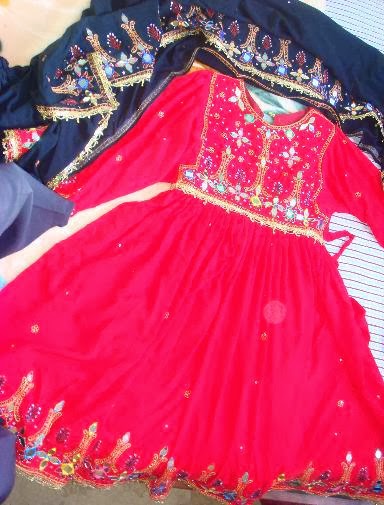
Alberta has a celebration in late September called Alberta Cultural Days. Our school decided we'd use this province-wide celebration to kick off a small celebration of our own to acknowledge the diversity of some of the cultures in our school.

This event would be a great way to use the learning commons. We decided on having a small group of students (partly due to the time factor) who would be interested in being part of this group and would be willing to work on it at lunch times as well as at home too if needed.

I also thought it would be a great way to showcase the power of the mighty Aurasma, an augmented reality app available for free for mobile devices.

The Artifacts

Students would take digital photos of things that are unique to their culture. They would then bring the image files to school or save it to their Google Drive.


The Videos

Using those photos as their inspiration, and by recording with green screen, or just using the photos with voice-over in iMovie, the students created scripts to describe their artifact and why it is important to their culture.


The Slow and Steady Editing Process

This was the slowest part of the entire process. If you've ever edited video before you'd know its a slow and arduous task. What I find when editing video the students become so particular about their work. They edit, edit and edit until they have something they're happy with. Through this part project I actually wondered if we were going to actually finish at all. The key to this is support. The next time I use iMovie with students I think I will spend more time on teaching this process so that students don't have to spend so long rerecording voice-over or going back and rerecording actual green screen shots. There are quite a few editing tricks that can help fill 'holes' in video clips.

The Uploading to Aurasma

This was the easy part! And by the way, this is not supposed to be a tutorial. That will come soon...

First, the picture/trigger images were uploaded to the Aurasma Studio server from the share point on our school server. Then I uploaded the video/overlay too. Both of these has similar file names so I could match them up when creating the Aura. Once both the pieces were on the Aurasma server, I then linked them together to create the finished Aura. Once created, the photo that the student took then acts as a trigger for the video that they also made. What an awesome way to showcase student work!


It all comes together in The Virtual Museum

Once all thirty Aura's were completed, we opened the museum for business. We invited half a class at a time through the museum, due to only have 15 available iPads. the museum-goers wore headphones to really focus in on listening to the videos (and some audio was quite low in volume).

It was amazing! Every student who came through our museum was engaged and focused on learning about someone else's culture.