Pages

Showing posts with label Mike MacKenzie. Show all posts

Monday, 21 March 2016

LC Reflection

“He who sees a need and waits to be asked for help is as unkind as if he had refused it.”
-Dante Alishieri

I’ve been working in the LC for years now, and it’s easy to see the mistakes I’ve made. At one point I thought about my role through an economic lens where those who need assistance (in planning, in executing, and in teaching) would naturally seek it out. My learning has developed towards a much more fluid and organic perspective. 

As the quote above describes, the LC leader has to be empathetic and helpful. They have to be observant and aware of the professional growth and professional learning of their peers. They must have the perspective to know the holes and gaps within classrooms and throughout the building. Yet, being aware isn’t enough... They have to actively help. Like water, they have to flow towards the deepest holes and help to raise the collective whole... They have to provide help before being asked...

I think. 

;)

Tuesday, 8 December 2015

Hour of Code - Students as Robots

Our students embodied robots for Evergreen School's Hour of Code. After courses were created, students ‘programmed’ their classmates to navigate the puzzles. Through building programs in sequential, logical order, the students will be able to apply this thinking to some upcoming programming tasks using Lightbot, Cargobot, and Scratch… Plus, it was lots of fun… “Like a game!!” 

(If none of the stuff below makes sense, the pictures should help. Or this is our LC Website about the task.)

Here is what we did: 
Part 1: Navigate my course! Students each write a program to go through a simple course made by a teacher.

Part 2: Build a course that can be solved in only 8 blocks. Students build a course and put their 8 blocks on the gray sheets. Then they mix it all up so others can play their game.  

Part 3: Play all of the games you can. Students go around the room and try to beat all of the other games that their classmates made. 

Part 4: Build a course with 12 blocks or 8 blocks and a protocol. Students repeat the task, but with more challenge. 

All in all, an exceptional day of playing with code... Students were thoughtful, engaged, and interested in making increasingly challenging levels. Next, the 4s become student leaders as we open it up as a maker station for the school… We’ll see how that goes!

Notes: Players begin on the first dot. The 'code' is on the left, the course they had to navigate through is on the right.


Here are some pictures of the learning in action...

Saturday, 6 September 2014

MakerFaireYYC

http://www.makerfaireyyc.ca


I’m presenting today at the MakerFaireYYC in a panel of outstanding CBE teachers and other teachers - I’m more excited about what I can learn than what I have to share! Some questions they have prepared for us are:
  1. ntroduce yourself and tell us how you’ve brought Maker to your school?

I’m Mike MacKenzie, and I was in the LC at Keeler for a few years. The LC space is a formal library with a student focus that encourages and supports hands-on learning and collaboration. Learning Commons, though, seem to be in a constant state of evolution. As the LC model develops, it has begun to emerge as a place where things (teacher directed and student directed) are being made/practiced. We just facilitate this evolution. 

2. Where/how did you connect maker to what you’re teaching? 

I taught with students throughout all grades (K-6), often on projects in Social Studies, Science, or Math. Each group was “making things” (zombie shelters and other blueprints in math, parachutes, cars, and airplanes in science, etc.). My role in the LC was to make learning visible and attainable to all students - so maker stations were born. Why should only grade 6 students make parachutes? All kids should get a chance... And with that our maker stations were born. Recess and lunch hour meant kids from across the school could come and build the grade 6 project. And if they got stuck? Grade 6 students were the experts, so they connected with them!

3. What inspired you to want to try maker?

Visual learning... Shared learning... Accessible learning... Kids are entrepreneurial, imaginative, and engaged when they have an environment that is safe, available, and where they can feel free to make (or make mistakes). Kids learn from other kids. When we set up that environment, the learning didn’t stop when kids left the classroom.  

4. What were your challenges? 

Mess and noise. At the beginning we didn’t set up the expectations for cleaning up afterwards (and the storing of projects), and often it felt trashed. And because we didn’t set a number limit on the kids entering the LC, we had too many kids at lunch. We generally fixed these with time and giving clearer expectations. 

5. How did you set up your space physically? 

The Learning Commons at Keeler is a big open space with tables on castors that can morph into a thousand different combinations. Eye-Hooks were screwed into bookshelves for pulley stations (4 or 5 throughout), stations were set on top of book shelves and in tubs, and a RaspberryPi was connected to a tv (also on wheels) that was standing only for groups to program. 

6. What do you see as the future of maker in Education? 

The future of a “Maker” education is potentially enormous. Open challenges presented by students (or teachers), as teachers facilitate and encourage the growth of entrepreneurial spirit... Kids are trusted (and groomed) to be designers. Trust is shown by providing time, materials, and by allowing noise. Students will teach other kids, too. Not in a strictly, “Science Fair” way where only the end product is shown- they will come together throughout the process and celebrate the process and the end products. Assessment, too, will be on competencies and processes where even if an end product doesn’t work, the ideas and creativity will be considered with more weight. 

Friday, 16 May 2014

Entrepreneurial Spirit Thrives in the Learning Commons


“Mr. MacKenzie, can I talk to you later? I think we should start a football club”, proposed three boys, eager for organized sport. The day prior, different kids wanted to start an animation club. Before that I was approached by other students explaining that they wanted me to learn how to program video games... And that I should teach them how! How did we, as a school, get here? We got to this point because of the Learning Commons. Our Learning Commons fosters an Entrepreneurial Spirit, and it has absolutely transformed our school culture.

Those kids weren’t interested in programming, animation, or sports because they were told they needed to be- they approached me because they knew the LC supports students: They knew the LC is for them. They had developed an Entrepreneurial Spirit so nothing felt out of reach...All they needed to do was to inquire, to pursue and to remain engaged in the face of failure and closed doors. The students who were seeking out a football club were rejected by me, (Ya, I know...But to be fair I’d already done a hockey and basketball club, and soccer was being scheduled). Where did they go next? To another teacher, then the principal. Not once throughout the process were they dissuaded.

The kids with a craving to learn animation couldn’t find a teacher-expert to guide them, but they asked for the tools. We gave them an iPad with the right apps and after multiple LC lunches, those kids had independently crafted a lego-animation that was proudly shown at the school talent show. It was greeted with laughter, “Oohs!” and “Ahhs!” from an engaged audience.

A couple of the 6th grade programmers
working through a challenge. 

The programmers were interested in a smaller audience and were intrinsically motivated. They inspired me to find tools for them, and as a result we have a maker-station with the SCRATCH programming language and ongoing, monthly challenges. To be honest, though, they’re ignoring the challenges ... But only because they are making games of their own. Who wants to make a stupid cat jump when you can make a bird dodge objects? How did we, as a school, foster this?

All we did was make a Learning Commons available to students. We gave them tools with no boundaries, we encouraged, we supported, and we nurtured a growth mindset. At lunch, at recess, and during finish-up time, students come in to do, to make, and to create. In our Learning Commons, an “Entrepreneurial Spirit” doesn’t mean starting a business: It means advocating for yourself and your peers, it means caring about something enough to take a chance. Our school’s philosophy is deeply invested in our students’ Entrepreneurial Spirit: We gave kids care, trust, and a space, and we watched them take on challenges. We guided them as they fell down and stood back up, as they persisted with their passions. To me, this is what we should all be looking for. To me, the Learning Commons model is Entrepreneurial Spirit.

Monday, 5 May 2014

Keeler School Maker Stations: Part 2

Kids in the 2nd, 4th, 5th and 6th grades have all carried out science experiments and designed things during their lunch hour... For no reason other than because they want to! It has been outstanding, bizarre and wonderful to watch kids use our maker stations. It turns out that any project can, and should, be turned into a maker station for our learning commons.

Station 1: Parachutes. Read here about our parachute maker station. Since that post, there have been about 20 parachutes made by kids in different grades, and supported by grade 6 students who fielded their questions.
Kids (grade 2 and 5) building parachutes at lunch

Station 2: Pulleys. Kids are doing a series of progressive challenges for pulleys, during LC times. The engagement was outstanding... So we opened it up for lunch time exploration. As kids were exploring at lunch, the grade 4s tried things we hadn't yet asked them to: They made cross-library zip lines as well as double, and even triple, pulley systems.


If you look closely, you'll see a pulley
system from one part of the LC to
another.
Station 3: Raspberry Pi. Although we're not studying programming in a classroom, we got our hands on a Raspberry Pi computer (loaded with Scratch) and a TV donated to our school. The domino effect was hilarious... At the first recess there were 2 kids around the computer. At lunch there were 4. The next day there were 8. The day after that, there were more. Questions I recorded:
  • How do you make him walk?
  • How could we make a background? Can it move while he's walking?
  • What if he jumped on that guy, what would happen? How could we make something happen? 
  • Who can teach us? Where can...Youtube!! (And the students ran off to another computer)
In the past couple weeks we have really explored how we can use the space, and I think we've found it: These maker stations seem to be next step in the evolution of our LC!

Kids collaborating as they learn to program

Thursday, 24 April 2014

Maker Stations in the Learning Commons


Build it and they will come... Or provide stuff and they will build it! Our Learning Commons evolved to include "Maker Spaces"... I didn't realize this was happening... We have a "Philosophers' Board", multiple "Lego Walls", gears, puppets, costumes and Raspberry Pis (among other tinkering things that are available at all times for student use). But the amazing discussion at this year's EdcampYYC helped me to find the solution for guided learning and maker spaces in our Learning Commons context.

The grade 6 students are building parachutes, and their contest is here. But why stop there? Today I introduced the "Parachute Maker Station" and opened it up to the school: Anyone who is interested can come in at lunch or recess, can use the supplied materials (or other materials, if they'd like), and can create their own parachute.

Best of all, they all know it is a grade 6 project, so if they need help they know who to ask! I've warned the 6s that questions could be coming their way, and was greeted with enthusiasm as they now see themselves as experts (YAY!). Which was handy today when we had 5 grade 4 students eagerly making their own parachutes (during lunch), and seeking help. I overheard a grade 4 ask a grade 6, "Why is there a hole in the middle of your parachute? Did you make a mistake?" (Great question!!).

This has really got me thinking... Could this work with cars?  Catapults? Clothing design? Looms? Pulleys? Could any design-based task work as a maker station?... I think we're starting to turn a corner in our LC, and I can feel the enthusiasm growing from our students!

Here are the directions for the station: 


Monday, 23 December 2013

Apple Holiday TV Ad - An idea for teachers...

I wrote a post about the power of iMovie a few months back but was not sufficiently articulate. The new ad from apple shows something we could be doing in our classrooms with, of course, additional interaction in questioning, in summarizing, and in provoking discussion.

In the video below a teenage boy makes a Christmas video to surprise his family by showing them how magical the holiday has been. Teachers could (and should) use this idea to show kids how magical their learning has been.

Enjoy!


Wednesday, 18 September 2013

Exergaming - KWL - Reflection 1


Exergaming: Reflection 1

Sixteen grade 6 kids successfully collaborated on the same KWL document through Google Docs. A student’s insight is valuable, but when you can fuse small-group safety with large-group collaboration something magical happens... Everyone’s ideas are heard, recorded and compounded by peers. 

The students formed 3 groups, each logged on to a computer and followed a link provided. They made teams, talked about exergaming, and let ideas flow. Students were told that there is no such thing as “cheating” during brainstorming, which elevated the discussion as individual’s ideas became seeds, furthered by peers in different groups. 

Students were set as scribes to manage how many people were typing, but there were times when 2 or 3 kids from each group were typing at the same time. This was a very successful KWL experience. The finished document is below, a time-lapse video is on it's way- I'm being blocked from uploading it to Youtube, but check it out here: http://keelercommons.weebly.com/grade-6-exergaming.html


Thursday, 12 September 2013

Speech-to-Text and Text-to-Speech

Mountain Lion 10.8.3 is our image, and we've discovered a crisp, simple aide for our students with Learning Disabilities. It turns out that SIRI is embedded into the OS on our new computers, it just needs to be activated.

When it is turned on students tap a designated shortcut key and talk at regular speed into their microphone. When they're finished words quickly appear on the screen. 

When Text-to-Speech is turned on, students can have anything on their computers read aloud to them. Although these tools are not a panacea, they certainly help to level the playing field!

To get going on both, head to your computer's settings and click around!


Tuesday, 11 June 2013

4 Ways to Activate Students With iMovie

Have you ever climbed a mountain and not looked back? Can you imagine, not taking pride in the distance you've come, or building anticipation as you look forward? iMovie on the iPad has been an enormously successful tool that encourages reflection and anticipation for learning.

I started thinking about the power of simple recordings when I had a disadvantaged student who rarely arrived on time... Morning work was SMART Board based, so I used quicktime to do a screen capture so he could work without missing a beat.

This line of thinking naturally led me to iMovie on the iPad.

Instant reflection.
We had grade 4 kids that were challenged to make a double pulley system. They got stuck a lot, and teachers "annoyingly" pelted students with questions, not answers. Soon students started thinking out loud... Talking, sharing and collaborating with their partners and other teams...Teachers gave power to the students and partnered with them... Then we started recording. iMovie edits on the fly, so we were able to share students' creative, problem-solving thoughts with the entire class immediately after the lesson. A question in one group became a discussion point for the class, and the everyone took turns either building on the wonderment or providing solutions and ideas.

Get your head in the game!
A different class was studying Air and Aerodynamics where they were challenged to land a flying machine while keeping a lego-minifigure safe... Each work-period, though, they were starting from scratch. Their minds slowly (too slowly) began to ease into the lesson, so we filmed them thinking/questioning/working and hooked them by reminding them of the great work they had done in the previous lesson. We've repeated this a few times and have always been blown away by how a 2-5 minute video can instantly reengage students in their learning.

Documentaries. 
In a 40 minute lesson, kids can develop a documentary and can be introduced to a new topic. They can develop questions to guide the inquiry and can help fill up the "Know" bit of a KWL... with ease. We pulled out a bunch of books, threw them on the floor and passed out iPads. After a 3 minute tutorial on iMovie (optional!), we asked kids to craft a documentary about the topic that included audio, video, titles, and visuals. Students took pictures from the book and published a 2-minute documentary. Ideally we'd throw those up on the internet for students to watch from home, but we wound up showing them to the class. It was amazing how activated their memories were... When we started to look at our prior knowledge, they were exploding with (base level) ideas. More importantly though, they were primed for the deeper learning that followed!

Celebrations.
For our most recent unit on the Inuit Games we showcased our learning to the entire school by hosting every grade. The grade 2 student-leaders taught all of the kids how to play their games, and the students responded by doing their best, being respectful and playing hard (it was a pretty amazing morning!). As students were leading and learning we recorded the entire process. On the fly, we edited a 10-minute video that included each grade 2 student. We also made a trailer on iMovie. In the afternoon the grade 2s all got together and had their own celebration of learning where they could watch themselves directing older kids, sharing their knowledge, and being successful.


Tuesday, 28 May 2013

Simple Machines & Digital Rube Goldberg Machines

How do we sync edtech and teaching to enhance learning without just "playing" with toys? How do we match the tool to the learning, not the learning to the tool?

Accessing prior knowledge often just needs a nudge to get the ball rolling, and we used "Do Ink" animations to begin the conversation about Simple Machines.

We told the fourth graders that they were learning a new app to add to their backpack of tools for "sharing what they know". After a 2 minute intro to Do Ink on the SMART Board kids grabbed a topic from a hat and set off to work (topics are listed below).

It was hilarious to see what the tech-wizards produced and how quickly they mastered the frame-by-frame animation. When their videos were done students threw their work on the master iPad using "Instashare", pulled another topic and went to work creating more simple machine animations... Students, though, just thought they were learning to animate.

On the master iPad we used iMovie to mix the animations together and publish a single, cohesive (?) movie. Students saw their animations on the big screen by the end of the 40 minute class.

The next steps will be to discuss how their animations are simple machines and to brainstorm background knowledge on the simple machines that are all around us. What are they? How do we use them? Why do we use them? How do they help our daily lives?

Students will be challenged to create a physical and digital (Do Ink Animation) Rube Goldberg Machine, inclusive of as many simple machines as possible... I can't wait to share those when we get there!


Tuesday, 21 May 2013

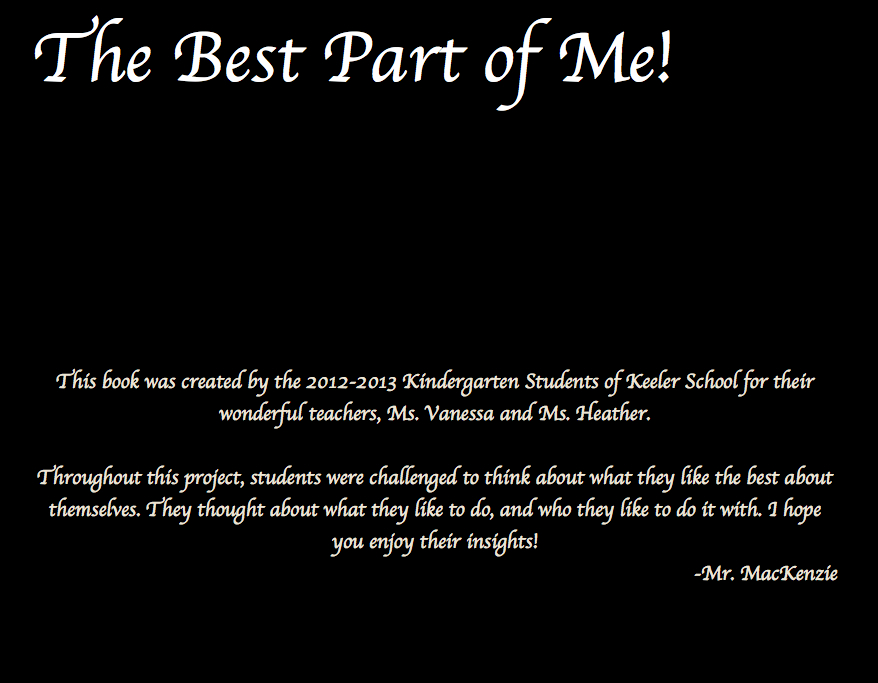
The Best Part of Me!

The Kindergartens and I built a book in the Learning Commons. For the teachers, it really tested our ability to question and to inspire those rich, wonderful utterances from students.

We asked ourselves:

  • How do we generate conversation? How can we forgo "leading" questions?
  • How can students express emotions and put meaning to experiences, without an extensive vocabulary? How do we get students to speak in metaphor?
  • What questioning encourages students to open up and express their thoughts?
  • What is appropriate wait time?


We went for exploring emotions, ideas, feelings, experiences, and for giving meaning to students' daily lives/routines. We read the book "The Best Part of Me" by Wendy Ewald, then turned around and made our own!

It took a while, but we were able to abide by the Reggio Emilia belief that "The child is worthy of being listend to." We honoured how important it is to "listen, observe, interact, and learn from the child(ren)". And really, it was the kids that wrote the book and the teachers who worked on their questioning skills...

Below are some of the pictures from the book. It is absolutely beautiful (for us) because of how the students' voices reflect their personalities and their uniqueness, and how succinctly they touched on the important things in life.

Of course I can't put student names on here, and I've had to blur out faces... But I am working on getting the paperwork done so it can be celebrated! We have published a hard-copy version of it through iPhoto for our Learning Commons... If you're interested, swing by and we'd be happy to show it off!

Here is a link to a small bit of the book.


Wednesday, 15 May 2013

Lego Logic: Building a City

I'm excited about this project: The students are creating a Lego City! They've been givin a lot each and with increasingly difficult challenges are tasked with developing their land, building houses, growing the community, and solving social problems around meeting the needs of the constituents.

Of course it costs money to build, so lego bricks aren't free. This means that after they've planned their layout, they've got to calculate the perimeter and then the total price to build a wall. Then they've got to build up... The greatest surprise in this is that as a school we ran out of red lego bricks (the cheapest at $2 per nub), meaning that students had to change their colours, costing them more money. More than a few students had to go back to the second challenge and re-build their floor plan.

We're really just getting started, so there will be much more to come!

The planning document is below (feel free to edit, please, we're looking for feedback!), and the challenge cards are here, too. Any thoughts will be hugely helpful and much appreciated!

Planning Document: https://docs.google.com/document/d/1NEDGzkbd062fZW0eGWYPp6QEBny0fXND19TE8gPLYmA/edit


Thursday, 21 March 2013

Our Physical Space

The physical space is often a hurdle when setting up the Learning Commons. There are no hard and-fast rules around creating the space... Really it is about the students, the teachers, and the larger community. Here are some informal guidelines we used to set up a dynamic, learner-centered space.

1. Allow Student Voice

Students are the primary consumers of the space and their input is paramount... We began the year with a grade 6 mapping project. After mapping the space, students came up with new ideas and proposals to make it more appealing and functional. We listened - and now we can't keep them out whether it's class time, recess, or lunch!

2. Use The Walls

We pushed everything off to the walls... Opening up a flexible, middle space is extremely important. Students and teachers are able to move shelves, tables, and SMART Boards around as needed. For example, tables can be clumped for large-group work, or separated for small group work, or separated so individuals can work in peace!

3. Use Castors

All of our tables and bookshelves are standing on castors... Having wheels means that the space can completely change for presentations or events. We have Karaoke Club, special presenters, staff meetings, large classes, small classes, and individual students all working at the same or different times throughout the Commons.

4. Consider Learning Styles

Just because the buzz of education right now is group work, collaboration, and cooperation, doesn't mean that intrapersonal students that like to learn independently in a quiet and peaceful place have left the building! We've set up quiet areas with noise-blocking headphones near the windows and we've got a quiet table for guided reading, where visual distractions are a minimum.

5. Think About Tables & Surfaces

The tables below come from Moen Designs in Edmonton Alberta. We received a wonderful grant from Education Matters to purchase any table we would like, and we went with the "Burp" (to the left). Our students, though, affectionately refer to them as the "Ladybug" tables because their "wings" open to expose the underbelly (Another working space!).

The benches (below) were also purchased from Moen Designs. We chose them because they come in a couple different sizes, and they are sturdy enough to stand on... And the perfect height for students to work (draw, read, write, build) on.

6. Open the Windows!

I don't know why this is such a big one... Kids are NOT distracted by the great outdoors, and natural light is extremely helpful. I'm not worried about students being distracted when peering outside, and the natural light is infinitely better than the dim, fluorescent lights flickering at 120 Hertz in our students' eyes.

7. Be Dynamic

Everything needs to change over time. Our SMART Board moves, the tables rolls, the benches are carried, and the chairs all move throughout the course of the day. The space transforms to meet the needs of our students...Our community wouldn't do it any other way!


Monday, 4 March 2013

Exemplars and Comics

Using Exemplars with Photocomic
Using exemplars to set clear expectations is vital when designing a project... This is our infusion of technology in the process of examining student work, setting criteria and building a rubric for writing a  feasibility report for settling a planet.

The Bigger Picture
We're well on our way to colonizing the solar system! Kids have completed their research, and they're now ready to compile their information into an official "Colonization Report". To do this, they'll need to examine both excellent and lackluster reports to help wrap their heads around the expectations .. We wanted to find a way for students to document what makes a good report and found a natural connection with an App called Photocomic.

After this, students will write reports that they will submit to the Canadian Extra-Terrestrial Space Agency for review. They will then write a storyboard and screenplay to help them develop a recruitment video to help them lure students, parents, and community members to their planet.

The Task 
Students will be given specific topics (Creative Language, Organization, Visuals, and Content) to carefully consider as they go through the exemplars.  Each student will record successes and shortcomings about their topic using an iPad app called Photocomic.

The App
Photocomic
We've used the app Photocomic for a number of purposes and the more we use it, the more we love it! It is simple enough that clean, clear work can be created, published, and shared within a 30 minute period. It's been used to act out key moments within a book-study, to role-play social situations, and to enhance concepts such as friendship.

It allows you to take photographs and arrange them in a number of ways to look like the pages of a comic book. Students can add all of the elements of a comic, including speech bubbles, thought bubbles, action words, etc.

The Process
Students are challenged to become masters of the "Photocomic" app in 5 minutes. The only rules: You must touch every button to see what it does and you must create a comic!

Students are given their task cards and join their groups. They are to take photographs of the exemplars and to annotate with speech bubbles, thought bubbles, and action words to show what they like/dislike about the exemplar. It is expected that each student will contribute 1 speech bubble/sound effect.

Students then go to the next table, take a close look at that exemplar, and repeat!

At the end, the students will put their comics on to the teacher's computer, who will throw all of the pictures on the SMART Board so that everyone can see what makes a great report. Afterwards, the teacher guides the students as they come up with their own rubric that clearly describes the expectations.

Differentiation
We really need to narrow the focus...
All students can participate in this because there is so much to evaluate! Some students can use higher-order thinking skills and analyze the content. Others can really think about the grammar/word-choice, and others still can examine the visuals. We'll choose the roles and make sure they cater to the right students.

Using the Photocomic App students can either be detailed about about their evaluation (they can write speech bubbles, clearly outlining why they may/may note emulate something), or they can can use sound effects such as "Ouch!" to show that something is undesirable.

5 Considerations About Exemplars
Narrow the Focus: We had 4 to 5 people in each group, and each student had a role where they were looking for a certain topic. It was way too much, and the activity nearly bombed because of it! Were we to do it again, I'd suggest having each group focus on one topic, rather than 4. And I'd suggest the each group share one same topic of analysis.

It's great how they could use the '!!!!' symbol
to point out the juicy words!
Time: At the beginning, we gave students iPads and told them to get started after explaining the task... If only it were that simple! They jumped right in for sure, but they took inconsequential pictures and didn't provide thoughtful comments.

After the first round, we had them close their iPads and focus on the work itself. After we heard sufficient discussion and we had a chance to discuss with each group, then we had them open the iPads.

Groupings: I'm always tempted to put a higher student with a lower student to settle behavior issues and enhance learning. I wonder, though, what this is doing for both students' learning! One isn't challenged by the other, and the other is so far below, are they getting anything out of the lesson? Would it be better to put all of the lower students together and to use different exemplars with catered expectations? How would that look?

I guess that "Zonk!" means it's good... 
Exemplars: We used great exemplars and 2 non-exemplars that were created at a much lower grade level. It's tricky though... We have students that really struggle with reading and writing, and I'm hoping that they didn't feel awful about themselves when they saw the non-exemplar was at their ability level. When the integration model fails, I guess...We'll have to find new ways to approach this next time.

Return: The idea of annotating with the iPads worked really well, but some extra work needs to be done with the kids! It's just October, so I'm hoping that we'll get this figured when we try it another few times... We'll see!


Tuesday, 26 February 2013

Keeler Students Explain Everything

How do you evaluate an app's educational potential? The best post I've found for this is at learninginhand.com - It's loaded with checklists, rubrics, ideas and discussions. Well, I've found one of those rare apps that gets an A+ and that adds value, no matter the subject: Explain Everything.

You'll remember back in 2010 when the iPad 1 made its debut.  Apple was heavily criticized for making a device that was based solely on consumption. It wasn't until people started writing, drawing, and making things on it that everything changed (This is a great article that asks whether or not an iPad is being used for consumption or creation). I'd like to think schools are purchasing iPads for creation.

Investing in a tool for creation is great- assuming there are applications applicable for students and teachers that enhance learning rather than distract from it. I have found an app that is the model others should strive for in the field of education because it inspires creation through video, audio, text, and drawings to show, share and teach ideas. I've been using it for a week, and below are examples of how it has enhanced learning through the lens of Bloom's Taxonomy:

Remembering:
Working with second graders and trying to help them learn how to research is a problem. Students have been working on researching an Arctic animal and connecting it with the Inuit. The issue is that there aren't that many books/sites that are easily read by second graders -- never mind vast differences in students' reading levels. I was able to take a picture of a page and read it once to the student while recording myself. I highlighted the words I was reading, emphasized text features, and drew attention to what matters. The student was able to replay my reading and our conversation as many times as needed. When working with struggling readers, there can be no better equalizer than repeated instruction that can be reviewed by the student as many times as they need. Part of the video below is of my reading with some student voices in the background. Don't judge how I sound; it's pretty horrifying to throw this up on the internet!

Understanding:
Everyone loves the Kahn Academy. Well, that's not true, but I do because of my obsession with repeated viewings for students who don't get it the first, second, or eighth time. The grade 5s and I were able to discuss and critique a video on Perimeter, which we used as an exemplar. Students then demonstrated their understanding by creating their own videos to teach their classmates. It was great to see/listen to them talk through the process of calculating perimeter. One video is included below, but all students are quite proud!  Not only was I able to assess what they understood/didn't understand, they were able to teach their peers and become leaders for our upcoming project.

Applying:
I don't understand why teachers claim that summative assessment can't be formative... I'm not an assessment expert, but the task below was meant to summatively assess their ability, while also guiding the next round of work we do. Taking the same concepts that were explored in the "Making a Khan Academy Video" and applying them to a unique situation was absolutely eye opening! Anyway, in the video at the end of this post students were asked to calculate the perimeter of a picture frame and to show how they did it through recording video and audio. I really enjoyed what they came up with!

Analyzing:
What a challenge we've had getting kids to examine their own work... The grade 4s have been working on assessing their work through student-created, bull's-eye rubrics (see more at the Galileo Educational Network). I wish we had time to sit down and discuss each assessment with each group, but as all teachers know, time is a valuable commodity! Grade 4s created a wiki for the Regions of Alberta (not live at the time this was written) where they each became an expert on 1 region.  They are currently tapping into the expertise of their classmates by researching from the wiki and creating a presentation about all regions in Alberta. To make their presentation, students were asked to assess themselves based on a student-created rubric. I took a picture of the SMART Board and had the students digitally scribble all over it! The only rule was that whatever they were thinking, they said. Below is an example of this. Students were asked to discuss it prior to the video and to submit a 2-3 minute video sharing where they fell on the rubric and how they planned on working towards the bull's eye.

Evaluating:
The grade 6s are about to begin work on an art project where they must consider colours, symbols and composition. To begin, they will need to examine exemplars. By creating a short 2-3 minute video, they can critically evaluate exemplars and visibly (and audibly) share what they like and what they would improve were they to create a similar product. This video has not yet been made, but will be soon enough.

Creating:
Students in the sixth grade are also studying Athenian Democracy and the Iroquois Confederacy. With this app's ability to tap into augmented reality by photographing and drawing on top of pictures, students are able to transform our school ground into a traditional Athenian Assembly or an Iroquois Longhouse. The audio allows students to discuss and share what happens in different places and explain the significance of critical objects (the Water Timer, for example). This hasn't been done yet. Like I said, I've only had the app for a week!

Anyway, if you'd like to check the app out it's called Explain Everything. And it's wicked awesome.

If you use this app, please share what you've done!

Here is the video. It's not complete... I've only had the app for a short time, but I'll get on it soon!


Tuesday, 29 January 2013

Focusing Instruction on What Counts

Flipping the Commons
Focusing Instruction on What Counts

If it's rote, base-level thinking, don't evaluate them on it - give it to them... Focus assessment on the bigger stuff that actually matters!

When we make rubrics there often seems to be something about the "looks" of the final product... And the looks may have to do with rudimentary tech skills. Actually, not even tech skills: specific-program skills. All too often kids can get a great mark on something because their presentation or their tech-created product looks pretty - never mind the content. Teachers of course strive to balance the field, and I think I've found a good way to tackle a bit of this...

I'm in the process of creating tutorials that step students through this rudimentary tech stuff (that we shouldn't really assess kids on). They are 2-minute clips that show students how to click, where to click, and what to click to make the programs do what they want. By throwing them up on the Keeler Commons Virtual Space students are able to watch these videos when they want, where they want, and as many times as they want. This frees students up to focus their time on the content, their ideas, and their thinking rather than the how-to of technology.

The true benefit of this is that it puts me in different places at the same time. During a recent class my voice could be heard from 5 computers in the commons, helping kids with the "click here, then here" type stuff, so I could spend my time asking probing questions and focusing on the good work. It also helped set up a culture of support within the student community... a student asks another student, then checks tutorials, then asks me for help. All this while I am conferencing with groups and helping them assess the content and quality of their work and the expression of their ideas.

Giving 24-7 tutorials builds independence in students and anytime we build independence we build student success.


Wednesday, 12 December 2012

Keeler School Virtual Space

Our Virtual Learning Space
Keelercommons.weebly.com 

"The minute I dropped out I could stop taking the required classes that didn't interest me, and begin dropping in on the ones that looked interesting." - Steve Jobs

I believe that the statement above is in support of the Learning Commons Virtual Space we are aiming for at Keeler School: A site that students contribute to and choose to use from any device, at any time, simply because they can't stop thinking about their schoolwork!

We've been working extremely hard on the philosophy in the school and on the physical space in the Learning Commons itself. Now, though, the focus has shifted to anywhere, anytime learning.
We chose Weebly as a site-creation tool because it looks great on all devices. It is also extremely easy to embed collaborative documents, forms, spreadsheets (from Google Docs), and PDFs (scribd.com). It is important that google forms can be embedded in there, as we are a google trial school and we're finding the feedback to be invaluable. Here is what we have included so far.

Tutorials.
I've found that I'm teaching the same "click here, now here, now here" to help students with simple or complex tasks on their computer... So the next logical step was to create short, snappy tutorials to help students out!The newest section on our virtual space is tutorials.

Students and teachers can hover their mouse over Tutorials and select the program they are using. By clicking the video that is connected to what they need they are stepped through whatever they are struggling with. I'm trying to keep the clips under 2:30, so they can be watched and absorbed quickly. I've found this to be helpful as students can watch a tutorial as frequently or infrequently as they need - meaning that it levels the playing field a bit. And if students are working at home, they can see them there as well, 24-7.

I've tested this out during a few classes at this point, and found it hugely successful - despite how strange it was to hear my voice coming from different corners in the Learning Commons!

Projects.
This section is dedicated to projects that are taking place in the LC. Students are able to click on their current unit of study to find links to resources or online work they are doing (for example, the grade 4s are working on their first Wiki). This section will hopefully grow to include teacher write-ups about the projects, student samples, rubrics and links. We'll see... It's still young!


Forms.
By embedding google forms, all students can feel like they have a say about what is not only on the site (as in links, pictures, etc.), but they will also feel that they have a say about what books are in the Learning Commons. I'm just getting this going, so I'm offering a prize to students who provide the best resources in the 4th and 5th grades... Hopefully in the future I won't need to do this...

Teachers have also been using embedded google forms. And it has been an astounding way to communicate with our technician who we only host for 3 hours a week. In this section, teachers are able to report any technical problems with their SMART Boards, student computers, teacher computers, or printers. So far, it seems like a promising way to remove the middle man (me) from wasting time attempting to solve problems that are time consuming and complex!

Class Web Pages. We signed up to use the project server from the Calgary Board of Education and made it available for teachers to create class web pages on iWeb. Student work is being posted up in a variety of ways - sometimes it is pictures of students working in the classroom, problem solving a task. Other times, teachers are using the blog feature to showcase student writing. This has created a sense of pride in the students, and we have found the visits to our sites steadily increasing.


Links.
We've included links to everything from the Khan Academy to Glogster. We're looking for students to take initiative and either check up on concepts they don't fully understand, or to try a new web 2.0 tool. It's my belief that we should not shelter students from these tools, but instead teach them how to use them in a responsible way. When we asked our students in grade 6 last year who was on Twitter about half of them raised their hands. When asked if they upload to Youtube, about a third of them admitted to having a channel. They are going to do it anyway, we need to teach them how to be smart, not turn a blind eye!

We have links as well to the e-library (CBE's online catalogue). In the future, I'd like to post tutorials on how to use a catalogue and how to find books through the Dewey Decimal Stystem. 


Admiral Use Policy. 
We have also included a page dedicated to our Admirable Use Policy at Keeler School. This was developed at the start of the year, and we're hoping to get students using it and thinking about how to properly behave online. Again, I was thinking about having students create videos describing digital citizenship... I just need to overcome the paperwork and see if we can put them online!

Feedback.
I'd love feedback... If you're reading this you are most likely connected to education in some way or other. What would you add? What should be taken out/simplified? Do you have any suggestions for other great Web 2.0 tools to help students to represent their learning?

Thanks,
Mike MacKenzie

Sunday, 30 September 2012

Diagnostic Assessment & Space Exploration

Accessing Prior Knowledge & Starting on the Right Foot

We began an exciting group project the other day and thought it was important to start with self-reflection and diagnostic assessment through informal and formal conversations. Students filled out group proposals (below) where they had to consider their strengths within a group. We also challenged them to think about their group members and how they've worked together in the past...


Project:  You have been recruited by CETSA (The Canadian Extra Terrestrial Space Agency) to create a community proposal and a recruitment video to lure earth-dwellers to colonize your planet. 


** Students will hold a "recruitment fair" in the Learning Commons for all grades of the school (and perhaps other schools through online video/voting). Students will vote on which planet they would like to colonize based on given criteria. 

Day 1: The Hook
Each student received a letter in the mail from CETSA directing them to save humanity.They showed up to school with their letters clutched in their hands or crinkled in their pockets, ready to accept their mission! They were then tasked with identifying and resolving hazards in a colonization report to permanently settle a planet in our solar system. They will soon create a recruitment video/presentation to lure settlers to their planet - which they will later create a government for.

We gave students the sheet below, allowing them to choose their own partners. Using a sheet like this had a number of predicted and surprising benefits, here are the big three:

Self Reflection - Students were able to discuss their strengths and shortcomings in a safe environment, among chosen friends.

Group Reflection - Students analyzed the relationships within their team and identified possible issues, as well as where they may soar. It was interesting to see how students grouped themselves - some students purposefully avoided their friends!

Access Prior Knowledge -  Students were forced to access prior knowledge and to discuss what they already knew about the planets and what they wanted to learn. This discussion was further enhanced by the pesky, roaming teachers asking clarifying questions and taking notes.

The sheet we used is below, as are some samples taken from students on Friday!

Group Work and Getting Started

Some of the responses...
Some of these are hilarious, others are insightful... I think the process and the discussions we video-taped were the true gold in this. 


Problems with "big giant words such as the Encyclopedia" 
The "Who does more work" comment showed up on lots of these. 
Human Typewriter and has great potential in research and studies...

This group really hit the nail on the head! This was exactly the same problem they had in our last project... Although I didn't know about the hitting!
It's okay to laugh a lot!